برتر فایل
مجموعه فایل های آموزش مقدماتی تا پیشرفته نرم افزار کتیا (CATIA) و مجموعه کتب, جزوات, پروژه و مقالات تخصصی مهندسی مکانیک
برتر فایل
مجموعه فایل های آموزش مقدماتی تا پیشرفته نرم افزار کتیا (CATIA) و مجموعه کتب, جزوات, پروژه و مقالات تخصصی مهندسی مکانیکدانلود پلاگین طراحی برای قابلیت ساخت و مونتاژ نرم افزار سالیدورکس Geometric DFMPro for SolidWorks
پلاگین Geometric DFMPro از امکانات هندسی پیشرفته جهت تصدیق قابلیت ساخت و مونتاژ می باشد. این پلاگین بوسیله تشخیص خطاهای طراحی (موارد غیر ممکن یا خیلی هزینه بر بودن) به کاربر کمک می نماید تا هزینه ها را کاهش دهد. پلاگین Geometric DFMPro به طور اتوماتیک و تجدیدی طرح را بررسی نموده و یک مکانیزم جهت گرفتن و دوباره کاری را تهیه می نماید. همچنین این پلاگین دانش قابلیت ساخت برای بهبود فرآیندهای پیوسته را نیز دارد.
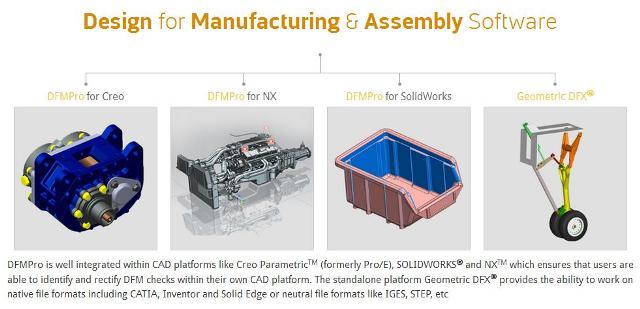
از ویژگی های بارز پلاگین Geometric DFMPro می توان به موارد زیر اشاره نمود:
- یادگیری آسان و یکپارچگی کامل با نرم افزارهای طراحی Creo, NX, SolidWorks
- دارا بودن ابزارهای رایج طراحی و ساخت و مونتاژ
- بررسی قابلیت ساخت قطعات وابسته به عملیات ماشینکاری و ماشین آلات ورق کاری
- قابلیت اتصال به PLM سرویس ها
- تهیه گزارش کامل از عملیات
- تهیه قوانین ساده برای کار توسط VB Script و ماکرونویسی
- تهیه ابزارها جهت ساخت و استفاده فایل های قوانین مربوط به فروشگاه های مختلف
- و به طور کلی این پلاگین دلایل و همچنین پیشنهادها را جهت قابلیت ساخت ارائه می دهد.
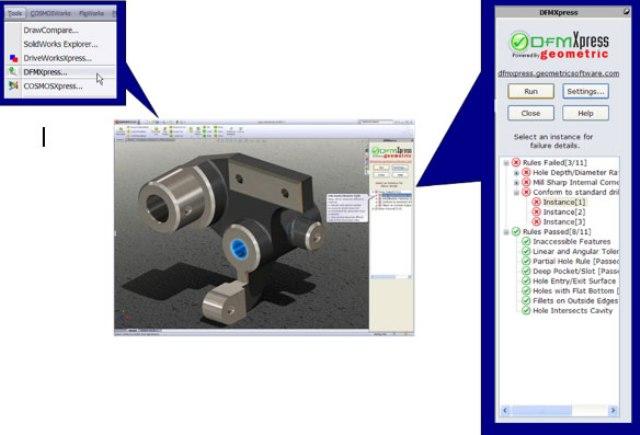
Geometric, a specialist in the domain of engineering solutions, services and technologies, launches version 4.0 of DFMPro software is a CAD integrated Design for Manufacturability & Assembly (DFM/A) solution which allows the designer to check his designs for producibility
DFMPro assists design engineers in identifying features of a design which are difficult, expensive and impossible to manufacture, at the design stage itself. This helps in avoiding downstream issues which impact cost, quality and time to market. DFMPro covers various commonly used manufacturing processes like machining (milling, turning, drilling), injection molding, casting, sheet metal fabrication and assembly
DFMPro provides pre-configured as well as custom design guidelines and global best practices in the industry in the form of rules. The rules are derived from design handbooks and guidelines from industry associations. The rules take into account various Design for ‘X’ (DFX) issues which typically occur later in product lifecycle such as serviceability, assembly etc. The existing set of rules can be easily customized as per the organization specific standard
By using DFMPro, organizations have achieved increased productivity, savings in cost, improved quality and better collaboration. Discrete manufacturing industries such as Automotive, High-tech, White goods, Medical devices, Industrial equipment, Contract manufacturing have seen significant benefits by deploying DFMPro. DFMPro cuts down the rework in new product development process and thus prevents delays in product launches. DFMPro helps new design engineers get up to speed by providing on the job training through its contextual help available when a DFM guideline violation is made. DFMPro also acts like a knowledge capture tool by providing a powerful framework for organizations to add their own best practices and gather the knowledge residing within the organization
DFMPro is well integrated within CAD platforms like Creo Parametric (formerly Pro/E), SolidWorks, NX and supports other leading CAD platforms
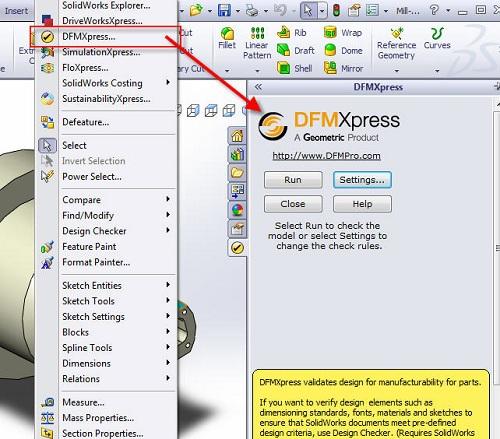
کاربران عزیز در این بخش می توانند پلاگین Geometric DFMPro for SolidWorks را برای نرم افزار سالیدورکس دانلود نمایند. این پلاگین بر روی نسخه 2010 تا 2015 نرم افزار سالیدورکس قابل نصب و اجرا می باشد.
جهت نصب کامل و صحیح پلاگین Geometric DFMPro for SolidWorks پس از دانلود کامل فایل، ابتدا آن را از حالت زیپ یا فشرده بودن (Zip) خارج نموده و سپس حتما مطابق راهنمای نصب که در داخل پوشه ها قرار گرفته است عمل نمایند تا پلاگین به طور کامل نصب گردد.
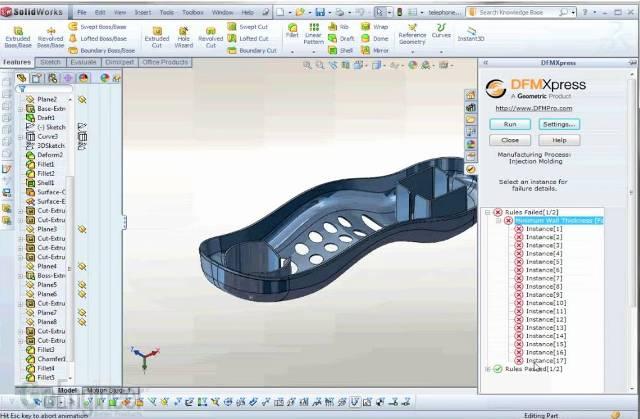
جهت دانلود پلاگین Geometric DFMPro for SolidWorks برلینک زیر کلیک نمایید:
کتاب آموزش ترسیم هندسی و مهندسی (Geometric and Engineering Drawing Elsevier)
کتاب ترسیم هندسی و مهندسی (Geometric and Engineering Drawing) انتشارات Elsevier، نه تنها به عنوان یک مرجع جامع نقشه کشی شناخته شده است، بلکه پرفروش ترین کتاب در این زمینه نیز می باشد، که حاوی اطلاعات اساسی راجع به:
- ترسیمات هندسی
- ساختار اشکال هندسی از اطلاعات داده شده
- تصویر ایزومتریک
- حالت مماس
- تصویر مایل
- بزرگ نمایی و کوچک کردن اشکال صفحه ای و صفحات معادل
- اختلاط خطوط و منحنی ها
- تصویر ارتوگرافیک
- مقاطع مخروطی، بیضی، هذلولی و...
- تقاطع جامدات منظم
- ترسیم با دست آزاد
- ترسیم مهندسی و... می باشد.
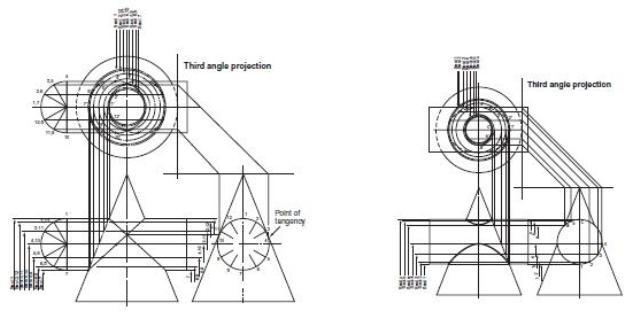
این کتاب مشتمل بر 362 صفحه، در 19 فصل، به زبان انگلیسی، همراه با تصاویر به ترتیب زیر گردآوری شده است:
Chapter 1: Geometric Drawing
Chapter 2: The Construction of Geometric Figures from Given Data
Chapter 3: Isometric Projection
Chapter 4: The Construction of Circles to Satisfy Given Conditions
Chapter 5: Tangency
Chapter 6: Oblique Projection
Chapter 7: Enlarging and Reducing Plane Figures and Equivalent Areas
Chapter 8: The Blending of Lines and Curves
Chapter 9: Loci
Chapter 10: Orthographic Projection (First Angle and Third Angle)
Chapter 11: Conic Sections – the Ellipse, the Parabola, the Hyperbola
Chapter 12: Intersection of Regular Solids
Chapter 13: Further Orthographic Projection
Chapter 14: Developments
Chapter 15: Further Problems in Loci
Chapter 16: Freehand Sketching
Chapter 17: Some More Problems Solved by Drawing
Chapter 18: Engineering Drawing
Chapter 19: Postscript – Planning a Design

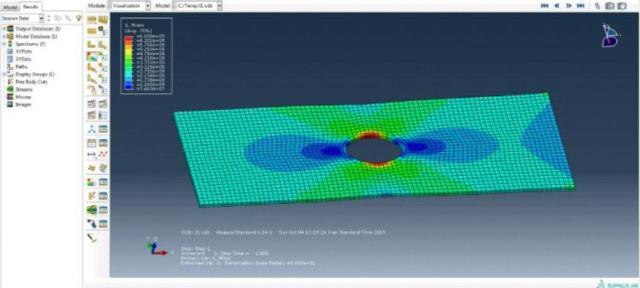
آموزش آباکوس، تحلیل جابجایی یک صفحه سوراخ دار به کمک نرم افزار ABAQUS
جزوه آموزشی تحلیل جابجایی یک صفحه سوراخ دار به کمک نرم افزار ABAQUS، مشتمل بر 13 صفحه، به زبان فارسی، به همراه تصاویر رنگی، با فرمت PDF، گردآوری شده است.
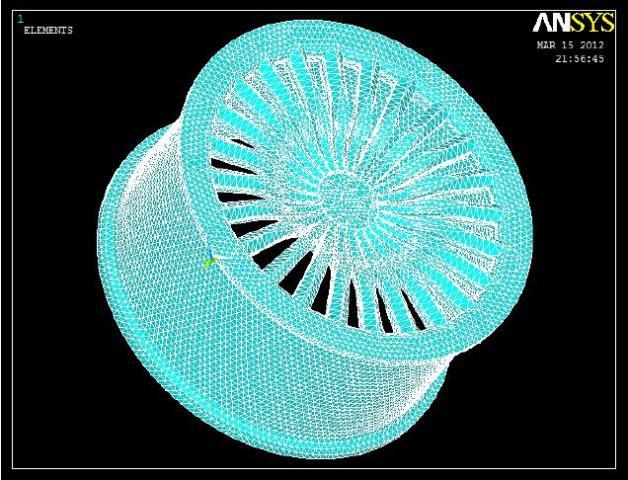
مقاله با عنوان: طراحی و آنالیز رینگ چرخ با استفاده از نرم افزار CATIA & ANSYS
The purpose of the car wheel rim provide’s a firm base on which to fit the tire. Its dimensions, shape should be suitable to adequately accommodate the particular tire required for the vehicle. In this study a tire of car wheel rim belonging to the disc wheel category is considered. Design in an important industrial activity which influences the quality of the product. The wheel rim is designed by using modelling software catiav5r18. In modelling the time spent in producing the complex 3-D models and the risk involved in design and manufacturing process can be easily minimised. So the modelling of the wheel rim is made by using CATIA. Later this CATIA model is imported to ANSYS for analysis work. ANSYS software is the latest used for simulating the different forces, pressure acting on the component and also for calculating and viewing the results. A solver mode in ANSYS software calculates the stresses, deflections, bending moments and their relations without manual interventions, reduces the time compared with the method of mathematical calculations by a human. ANSYS static analysis work is carried out by considered two different materials namely aluminium and forged steel and their relative performances have been observed respectively. In addition to this rim is subjected to vibration analysis (modal analysis), a part of dynamic analysis is carried out its performance is observed. In this paper by observing the results of both static and modal analysis obtained forged steel is suggested as best material
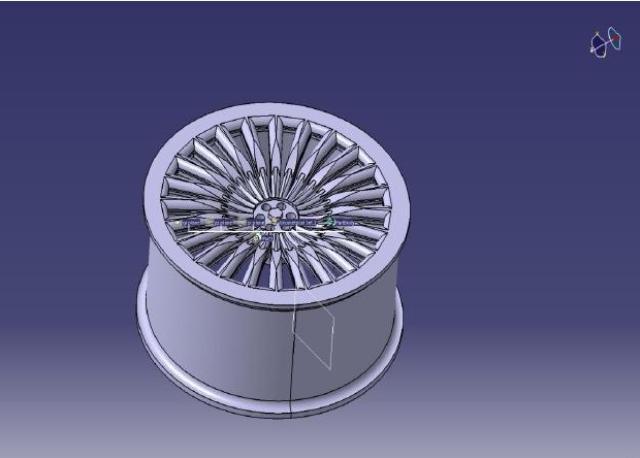
مقاله طراحی و آنالیز رینگ چرخ با استفاده از نرم افزار CATIA & ANSYS، مشتمل بر 8 صفحه، به زبان انگلیسی، به همراه تصاویر رنگی، با فرمت PDF، به ترتیب زیر گردآوری شده است:
- Abstract
- Introduction
- Theory of Wheels
- Rim Nomenclature
- Type of Wheel/Rim
- Modelling of Wheel Rim
- Result Analysis
- Conclusion and future work
- Refrencess
آموزش سالیدورکس، جزوه آموزش کاربرد و نحوه استفاده بلوک (Block) در نرم افزار SolidWorks
block موضوعاتی هستند که در تمام محیط های نرم افزار همانند sketch، assembly، drawing و … کاربرد فراوان دارند. توسط block می توان از موضوعات پر کاربرد یک نمونه ایجاد نمود و در بخش های دیگر به راحتی از آن کپی تهیه کرد. همچنین توسط block می توان یک مکانیزم را به سادگی در محیط sketch مدل نمود و خروجی ابعادی مناسب از آن تهیه نمود. در این جزوه آموزشی که در 5 فصل تهیه شده است، تلاش شده که تمام کاربردهای block را به همراه مثال های کاربردی آموزش داده شود.
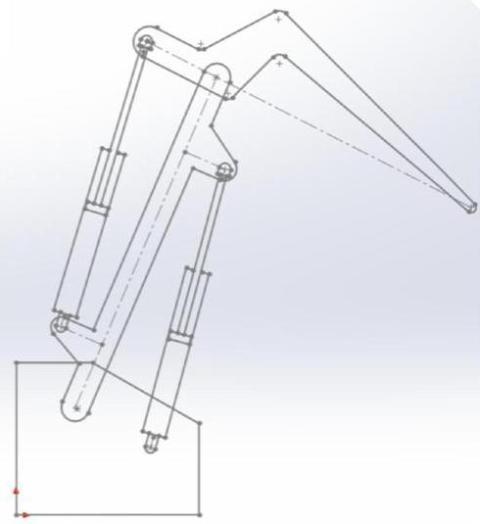
جزوه آموزش کاربرد و نحوه استفاده بلوک (Block) در نرم افزار SolidWorks، یک جزوه آموزشی مفید و کاربردی از آموزش ترفندهای کاربردی و مهم در نرم افزار سالیدورکس می باشد. همچنین به همراه جزوه بالا تمام فایل های استفاده شده در این جزوه آموزشی، در فایل rar دانلود شده موجود می باشد. این جزوه مشتمل بر 5 فصل، در 34 صفحه، به زبان فارسی، تایپ شده، به همراه تصاویر رنگی، با فرمت PDF، به ترتیب زیر گردآوری شده است:
بخش 1: Block
- نوار ابزار Blocks
- آیکن های نوار ابزار Blocks
- کار با نوار ابزار Blocks
- استفاده از Block در features
بخش 2: بررسی ابعادی مکانیزم به کمک Block
- مکانیزم 2 درجه آزادی
- مکانیزم بالابر
- مکانیزم جرثقیل
بخش 3: دستور make path
بخش 4: قید traction
- شبیه سازی گیربکس
- شبیه سازی غلتش چرخ
بخش 5: ایجاد تسمه با دستور Belt/Chain