
برتر فایل
مجموعه فایل های آموزش مقدماتی تا پیشرفته نرم افزار کتیا (CATIA) و مجموعه کتب, جزوات, پروژه و مقالات تخصصی مهندسی مکانیک
برتر فایل
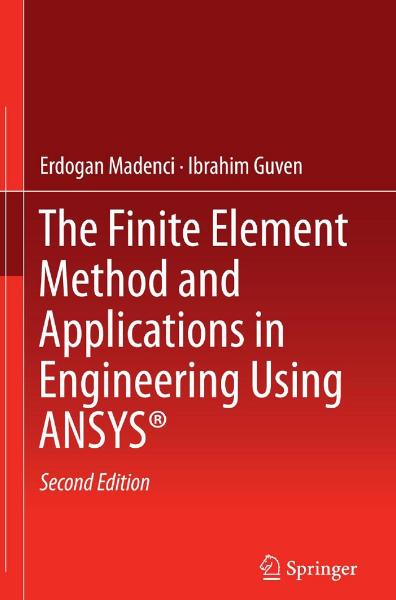
مجموعه فایل های آموزش مقدماتی تا پیشرفته نرم افزار کتیا (CATIA) و مجموعه کتب, جزوات, پروژه و مقالات تخصصی مهندسی مکانیککتاب کاربردها و روش اجزاء محدود در مهندسی با استفاده از نرم افزار ANSYS
کتاب کاربردها و روش اجزاء محدود در مهندسی با استفاده از نرم افزار ANSYS، مشتمل بر 12 فصل، 1620 صفحه، به زبان انگلیسی روان، تایپ شده، به همراه تصاویر، با فرمت PDF، به ترتیب زیر گردآوری شده است:
Chapter 1: Introduction
Chapter 2: Fundamentals of ANSYS
Chapter 3: Fundamentals of Discretization
Chapter 4: ANSYS Preprocessor
Chapter 5: ANSYS Solution and Postprocessing
Chapter 6: Finite Element Equations
Chapter 7: Use of Commands in ANSYS
Chapter 8: Linear Structural Analysis
Chapter 9: Linear Analysis of Field Problems
Chapter 10: Nonlinear Structural Analysis
Chapter 11: Advanced Topics in ANSYS
Chapter 12: List of Problems Solved
لیست مسائلی که در این کتاب بطور کامل حل و تشریح شده است، عبارتند از:
- ANSYS Solution of a Two-dimensional Differential Equation with Linear Triangular Elements
- ANSYS Solution of a Two-dimensional Differential Equation with Linear Quadrilateral Elements
- Plane Stress Analysis with Linear Triangular Elements
- Plane Stress Analysis with Linear Quadrilateral Isoparametric Elements
- Elongation of a Bar Under Its Own Weight Using Truss Elements
- Analysis of a Truss Structure with Symmetry
- Analysis of a Slit Ring
- Elongation of a Bar Under Its Own Weight Using 3-D Elements
- Plane Stress Analysis of a Plate with a Circular Hole
- Plane Stress Analysis of a Composite Plate Under Axial Tension
- Plane Strain Analysis of a Bi-material Cylindrical Pressure Vessel Under Internal Pressure
- Deformation of a Bar Due to Its Own Weight Using 2-D Axisymmetric Elements
- Analysis of a Circular Plate Pushed Down by a Piston Head Using 2D Axisymmetric Elements
- Static Analysis of a Bracket Using Shell Elements
- Analysis of a Circular Plate Pushed Down by a Piston Head Using Solid Brick and Shell Elements
- Analysis of an Axisymmetric Shell with Internal Pressure Using Shell Elements
- Analysis of a Layered Composite Plate Using Shell Elements Linear Buckling Analysis of a Plate
- Thermomechanical Analysis of an Electronic Package
- Fracture Mechanics Analysis of a Strip with an Inclined Edge Crack
- Modal Analysis of a Bracket
- Vibration Analysis of an Automobile Suspension System
- Harmonic Analysis of a Bracket
- Harmonic Analysis of a Guitar String
- Dynamic Analysis of a Bracket
- Impact Loading on a Beam
- Dynamic Analysis of a 4-bar Linkage
- Heat Transfer Analysis of a Tank/Pipe Assembly
- Heat Transfer Analysis of a Window Assembly
- Transient Thermomechanical Analysis of an Electronic Package
- Transient Thermomechanical Analysis of a Welded Joint
- Radiation Heat Transfer Analysis of a Conical Fin
- Moisture Diffusion Analysis of an Electronic Package
- Large Deformation Analysis of a Plate
- Postbuckling Analysis of a Plate with a Hole
- Plastic Deformation of an Aluminum Sphere
- Plastic Deformation of an Aluminum Cylinder
- Stress Analysis of a Reinforced Viscoelastic Cylinder
- Viscoplasticity Analysis of a Eutectic Solder Cylinder
- Combined Plasticity and Creep Analysis of a Eutectic Solder Cylinder
- Contact Analysis of a Block Dropping on a Beam
- Simulation of a Nano-indentation Test
- Analysis of a Sandwich Panel Using Constraint Equations
- Submodeling Analysis of a Square Plate with a Circular Hole
- Substructuring Analysis of an Electronic Package
- GUI Development Demonstration
کتاب کاربردها و روش اجزاء محدود در مهندسی با استفاده از نرم افزار ANSYS
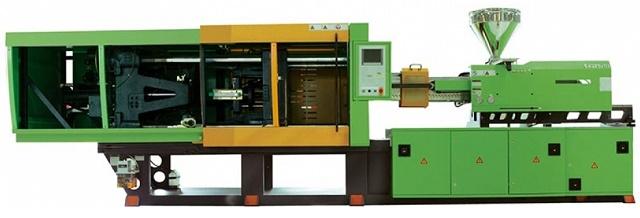
کتاب ماشین های تزریق پلاستیک
کتاب ماشین های تزریق پلاستیک (Plastic Injection Machine)، مشتمل بر 16 بخش، 226 صفحه، با فرمت PDF، به زبان فارسی، همراه با تصاویر، به ترتیب زیر گردآوری شده است:
بخش 1: تاریخچه پیدایش پلاستیک
بخش 2: پیدایش ماشین های تزریق
بخش 3: انواع پلاستیک
- گروه ترموپلاستیک
- گروه ترموست
بخش 4: مواد پلاستیک و محیط ذوب آنها
- پلی اتیلن سخت
- پلی اتیلن نرم
- پلی پروپیلن
- پلی استیرول معمولی
- پلی استیرول سخت
- آ.ب.اس
- لوران
- آکریلیک
- پلی کربنات
- پلی آمید
- سلولز آستات
- پلی وینیل کلراید سخت
- پلی وینیل کلراید نرم
- پلی کرایدها
- پلی اورتان
- پلی اکسی متیلن (پلی آستال)
بخش 5: قسمت های مختلف ماشین های تزریق
- قسمت تزریق
- مارپیچ سیلندر تزریق
- انواع سر مارپیچ
- نیروی محرک مارپیچ
- سیلندر تزریق
- سوپاپ سیلندر تزریق
- سوپاپ باز
- سوپاپ کشویی و سوپاپ سوزنی
- قیف مواد
- گرمکن سیلندر تزریق
بخش 6: حرارت سنج
بخش 7: ترموکوپل
بخش 8: فشار تزریق
بخش 9: قسمت قالب گیر ماشین تزریق
- سیستم مکانیکی
- سیستم هیدرولیکی
- سیستم های پخش فشار بر صفحات قالب گیر
بخش 10: روش نصب دستگاه ها در ماشین تزریق
بخش 11: پران
بخش 12: طریقه کار قطعات هیدرولیکی در ماشین های تزریقی
بخش 13: قالب تزریقی
- راهگاه کانال تزریق
- راهگاه مخروطی
- راهگاه سوزنی
- قالب های گرمکن دار
- راهگاه تونلی
- راهگاه فیلمی
- راهگاه رینگی
- راهگاه چتری
- سطح مقطع انواع کانال و راهگاه
- خطوط اتصال تزریق
- پران قالب (بیرون انداز)
- خنک کن قالب
بخش 14: رنگ کردن مواد پلاستیک
بخش 15: آسیاب
بخش 16: راهنمای رفع نواقص قطعات پلاستیکی در ماشین های تزریق
کتاب ماشین های تزریق پلاستیک
کتاب آموزش مهندسی معکوس و طراحی مدل های سه بعدی با نرم افزار Geomagic Design X
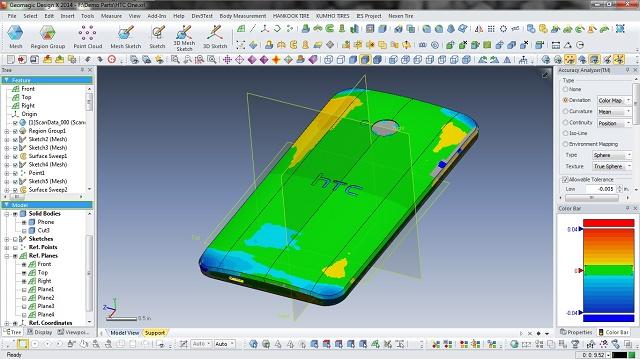
Geomagic Design یک نرم افزار حرفه ای مهندسی طراحی مدل های سه بعدی برای طراحی و تولید ایده ها توسط دانشجویان، مهندسان و سازندگان می باشد. با استفاده از ابزار های جامع 3D CAD برای طراحی، مهندسی و آماده سازی برای تولید می توانید در محیطی ساده به طراحی و توسعه محصول خود بپردازید. نرم افزار Geomagic Design با ارائه ابزار هایی مانند مونتاژ، ابزار ویرایش مستقیم، اسناد 2D، طراحی ورق فلز، تجزیه و تحلیل حرکت و ابزار به اشتراک گذاری داده های CAD باعث صرفه جویی در هزینه ها می شود. Geomagic Design X محصول شرکت 3D Systems یک نرم افزار طراحی سه بعدی بوده که بر خلاف سایر نرم افزارهای مشابه در این زمینه، به طور معکوس کار میکند، یعنی به جای آن که نقشه یک مدل در نرم افزار طراحی و سپس ساخته شود، در این نرم افزار مدل واقعی مورد اسکن سه بعدی قرار گرفته و سپس نقشه ساخت آن به کاربر داده میشود. این نرم افزار با بهره گیری از روش مهندسی معکوس و کد نویسیهای پیشرفته خود، اجسام واقعی و از پیش ساخته شده را مورد آنالیز دقیق قرار داده و با دقت بالا نقشه سه بعدی آن را به شما تحویل میدهد و شما میتوانید آن نقشه را در هر برنامه طراحی سه بعدی و CAD اجرا نموده و ویرایش کنید، حتی میتوانید همان نقشه را مورد ساخت قرار داده و طبق آن به تولید قطعات واقعی بپردازید.
روش کار در این نرم افزار بدین صورت بوده که جسم مورد نظر خود را در مقابل اسکنر سه بعدی قرار داده و اجازه میدهد تا اسکنر سه بعدی عکسهای مختلفی از جسم مورد نظر تهیه کند سپس عکسهای گرفته شده را به نرم افزار منتقل کرده و نرم افزار با استفاده از آنالیز سه بعدی دقیق خود نقشه حدودی آن را ترسیم میکند، سپس شما باید خروجی نرم افزار را با جسم واقعی مورد تطبیق قرار داده و آن را ویرایش کنید تا در نهایت به همان شکل مورد نظر شما در بیاید، سپس آن را در نرم افزارهای دیگری نظیر AutoCAD یا Maya اجرا نموده و سایر تغییرات نهایی را اعمال نمایید...
قابلیتهای نرم افزار Geomagic Design X عبارتند از:
- مهندسی معکوس و طراحی مدلهای سه بعدی
- تولید نقشه ساخت هر قطعه واقعی با بهره گیری از آنالیزهای سه بعدی
- پشتیبانی از پرینترهای سه بعدی جهت ساخت نقشههای ترسیم شده
- پشتیبانی از AutoCAD و سایر نرم افزارهای سه بعدی جهت ویرایش حرفهای مدلها
- تولید اجسام بسیار پیچیده نظیر اندامهای بدن
- تولید قطعاتی که غیر از روش مهندسی معکوس نمیتوانند به روش دیگری تولید شوند
- مجموعه کامل از ابزار های طراحی مکانیکی
- طراحی پارامتری استاندارد (به معنی ایجاد قطعات هوشمند و اسمبلی که می توانید در دفعات بعد آن ها را ویرایش نمایید)
- طراحی قطعات مکانیکی شامل هر گونه پیچیدگی
- تعیین ضخامت و اندازه های محصول
- مدیریت پروژه ها و اشتراک گذاری آن ها با اعضای تیم
- ابزار پرینت 3D
- رندر و ارائه تصاویر واقعی از محصول
- مدل سازی ورق های فلزی
- ایجاد اسناد 3D
- پشتیبانی از فرمت های گوناگون ورودی و خروجی
- ورودی های سه بعدی: STEP, IGES, SAT, 3DM (Rhino), Autodesk Inventor, Pro/ENGINEER, SolidEdge, CATIA, Parasolid, SolidWorks
- خروجی های سه بعدی: STEP, IGES, SAT, STL, SolidWorks, Parasolid
کتاب آموزش مهندسی معکوس و طراحی مدل های سه بعدی با نرم افزار Geomagic Design X، مشتمل بر 9 فصل، 970 صفحه، با فرمت pdf، به زبان انگلیسی، همراه با تصاویر، به ترتیب زیر گردآوری شده است:
Chapter 1: INTRODUCTION
- Welcome to Geomagic Design X
- Key Themes of Geomagic Design X
- Features of Geomagic Design X
Chapter 2: GETTING STARTED
- System Requirement
- Installation
- What Can Geomagic Design X Do
- Basic Entity Terminology
- Introduction to the Interface
- Data Processing
Chapter 3: UNDERSTANDING SCAN DATA
- Why 3D Scanning
- Types of 3D Scan Data
Chapter 4: UNDERSTANDING REVERSE DESIGN
- What is Reverse Design
- Reverse Modeling Strategy
- Powerful Tools for Reverse Modeling
Chapter 5: GETTING HELP
Chapter 6: USER INTERFACE
- Title Bar
- Menu Bar
- Mode
- Toolbar
- Docking Bars
- Viewing Window
- Dialog Tree
- Monitoring
- Esc Key
- Mouse Control
- Shortcut Keys
- Pop-up Menus
- 3D Mouse
- Quick Modeling
Chapter 7: MENU
- File
- Select
- Edit
- Insert
- Tools
- Measure
- View
- Add-Ins
- Help
Chapter 8: GLOSSARY
Chapter 9: INDEX
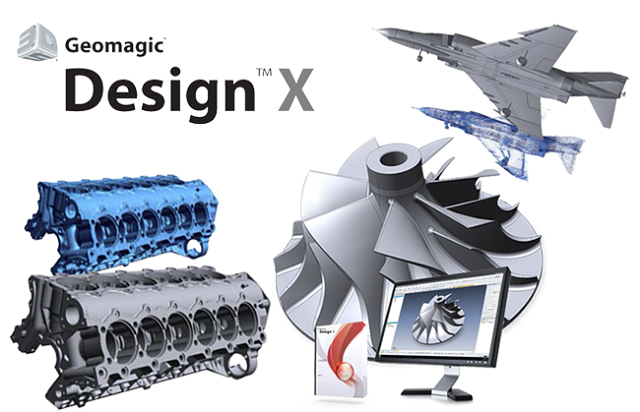
کتاب آموزش مهندسی معکوس و طراحی مدل های سه بعدی با نرم افزار Geomagic Design X
کتاب راهنمای پیشرفته MATLAB، مثال های عملی در علوم و مهندسی
کتاب راهنمای پیشرفته MATLAB، مثال های عملی در علوم و مهندسی (Advanced Guide to MATLAB, Practical Examples in Sience and Engineering)، مشتمل بر 11 فصل، 375 صفحه، با فرمت pdf، همراه با تصاویر، به زبان انگلیسی، به ترتیب زیر گردآوری شده است:Chapter 1: History of Computers, Computer Languages and MATLAB
- The Beginning of Computing
- Random Access Memory (RAM)
- The Microprocessor
- Motherboard
- Server
- Algorithm
- Kernel
- Programming Languages
- High-Level Language and Assembly Language
- Simple Terms Related to Computers
- Steps to Execute a Program
- History of MATLAB
- The Script Files
- Help
- Storage Duration of a Variable
- Fun with MATLAB and Built-in Demos
- Few Useful Commands Features
Chapter 2: The Compiler
- What is a Compiler
- How Does a Compiler Work
- Interpreter and Compiler
- The MATLAB Compiler
Chapter 3: Numbers, Review of Matrices and Matrix Operations
- Arrays and Matrices
- Array Operations in MATLAB
- Integer Representation in Various Formats
- Defining a Variable in MATLAB
- Real Number
- Absolute Value
- ASCII, EBCDIC
- Infinity (∞)
- Imaginary Number
- Mantissa
- eps
- Hadamard Matrix
- Upper and Lower Triangular Matrix
- pi
- meshgrid
- Convert Decimal to Binary and Binary to Decimal, dec2bin, de2bi and bin2dec
- Ones’ Compliment
- Logical Operators &, |, ~ and xor
- Relational Operators
- The ‘:’ Operator
- Use of Temporary Variable for Sorting an Array
- Product of Two Matrices
- Determinant, Finding Determinant of a Square Matrix
- Transpose of a Matrix
- Eigenvalue and Eigenvector
- Palindromic Number, Reversing a Number, Palindrome
- Identity Matrix
- Sparse Matrix
- Rotation Matrix
- Translation Matrix
- trace
- fliplr
Chapter 4: Plotting Using MATLAB
- Plotting a Line
- Colors in MATLAB
- ginput
- plot and plot3
- figure
- Scatter Plot
- colordef
- Mesh Plot
- surf and surfc Plots
- The Barnsley’s Fern Problem
- A Cone
- A Paraboloid
- Contour Plots
- A Plane
- Cube
Chapter 5: Image Processing Using MATLAB
- Digital Image
- image (c)
- Create a Shadow to a Plot
- Children
- Shading
- FaceAlpha
- Giving Color and Transparency to Edges of a Figure
- Types of Axis
- Lighting and Material
- View
- Creating Plots Using Markers Filled with Colors and Having Varying Sizes
- Rotation of an Image
- pcolor
- Reading an Image From an URL
- Changing the Background Color Using Figure(‘color’,c)
- Convert a 8-bit RGB Image to a Grayscale Image
- camup
- rotate
- Colormaps
- RGB Image
- camlight
- Insert Ellipse, Annotation or Double Arrow in a Figure
- Saving an Image with a New Filename
- Obtaining Information About an Image File
- Variation of Colors with the Variation in the Values in the Array
- Add Line and Text to an Image
- Buckyball
Chapter 6: Animation, Sound and Movies Using MATLAB
- Animation
- drawnow
- handle
- Making Movies with MATLAB
- getframe
- Sound
- Audio Data
Chapter 7: Numerical Methods Using MATLAB
- Numerical Integration
- System of Linear Equations
- System of Non-Linear Equations
- Solving System of Equations Using MATLAB Function fsolve
- Interpolation
- Straight Line Fit Using Least Square Method
- Curve Fitting Using Built-In Functions polyval and polyfit
- Cubic Fit Using Least Square Method
- Finding Roots of a Polynomial
- Solution to Ordinary Differential Equations (ODEs)
Chapter 8: Unconstrained Single Variable Optimization Methods
- Bracketing Methods
- Region Elimination Methods
- Gradient-based Methods
Chapter 9: Statistical Functions
- Statistics
- Mean, Median, Mode and Range
- Standard Deviation, Variance
- erf (x), Error Function
- erfc(x), Complimentary Error Function
- Normal Distribution
- Normalization
- Representation of Union, Intersection, Exclusive or and Subtraction
- Pie Chart
- Bar Chart
- Histogram
- boxplot
- Random Numbers
Chapter 10: Solved Problems
Chapter 11: Dictionary of Additional Terms
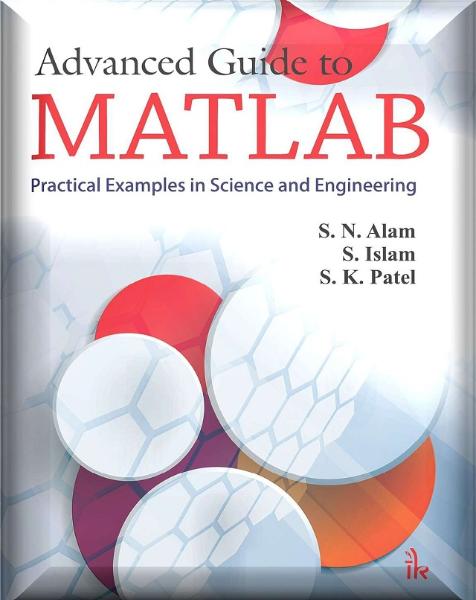
کتاب راهنمای پیشرفته MATLAB، مثال های عملی در علوم و مهندسی
کتاب مقدمه ای بر تحلیل اجزاء محدود با استفاده از نرم افزارهای MATLAB & ABAQUS
کتاب مقدمه ای بر تحلیل اجزاء محدود با استفاده از نرم افزارهای MATLAB & ABAQUS، یکی از کتاب های مفید و کاربردی در زمینه تحلیل اجزاء محدود با استفاده از دو نرم افزار معروف متلب و آباکوس می باشد. این کتاب مشتمل بر 11 فصل، 487 صفحه، به زبان انگلیسی روان، تایپ شده، به همراه تصاویر، روابط مهم ریاضی و فرمول های مهم اجزاء محدود، با فرمت PDF، به ترتیب زیر گردآوری شده است:
Chapter 1: Introduction
- Prologue
- Finite Element Analysis and the User
- Aim of the Book
- Book Organization
Chapter 2: Bar Element
- Introduction
- One-Dimensional Truss Element
- Global Stiffness Matrix Assembly
- Boundary Conditions
- Solution of the System of Equations
- Support Reactions
- Members’ Forces
- Computer Code: truss.m
- Problems
- Analysis of a Simple Truss with Abaqus
Chapter 3: Beam Element
- Introduction
- Stiffness Matrix
- Uniformly Distributed Loading
- Internal Hinge
- Computer Code: beam.m
- Problems
- Analysis of a Simple Beam with Abaqus
Chapter 4: Rigid Jointed Frames
- Introduction
- Stiffness Matrix of a Beam–Column Element
- Stiffness Matrix of a Beam–Column Element in the Presence of Hinged End
- Global and Local Coordinate Systems
- Global Stiffness Matrix Assembly and Solution for Unknown Displacements
- Computer Code: frame.m
- Analysis of a Simple Frame with Abaqus
Chapter 5: Stress and Strain Analysis
- Introduction
- Stress Tensor
- Deformation and Strain
- Stress–Strain Constitutive Relations
- Solved Problems
Chapter 6: Weighted Residual Methods
- Introduction
- General Formulation
- Galerkin Method
- Weak Form
- Integrating by Part over Two and Three Dimensions (Green Theorem)
- Rayleigh Ritz Method
Chapter 7: Finite Element Approximation
- Introduction
- General and Nodal Approximations
- Finite Element Approximation
- Basic Principles for the Construction of Trial Functions
- Two-Dimensional Finite Element Approximation
- Shape Functions of Some Classical Elements for C0 Problems
Chapter 8: Numerical Integration
- Introduction
- Gauss Quadrature
- Integration over a Reference Element
- Integration over a Triangular Element
- Solved Problems
Chapter 9: Plane Problems
- Introduction
- Finite Element Formulation for Plane Problems
- Spatial Discretization
- Constant Strain Triangle
- Linear Strain Triangle
- The Bilinear Quadrilateral
- The 8-Node Quadrilateral
- Solved Problem with MATLAB
Chapter 10: Axisymmetric Problems
- Definition
- Strain–Displacement Relationship
- Stress–Strain Relations
- Finite Element Formulation
- Programming
- Analysis with Abaqus Using the 8-Node Quadrilateral
Chapter 11: Thin and Thick Plates
- Introduction
- Thin Plates
- Thick Plate Theory or Mindlin Plate Theory
- Linear Elastic Finite Element Analysis of Plates
- Boundary Conditions
- Computer Program for Thick Plates Using the 8-Node Quadrilateral
- Analysis with Abaqus
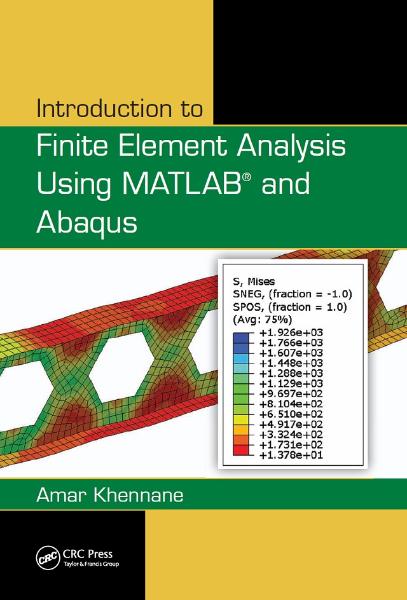
کتاب مقدمه ای بر تحلیل اجزاء محدود با استفاده از نرم افزارهای MATLAB & ABAQUS